
Creating Nameservers at Namesilo.com
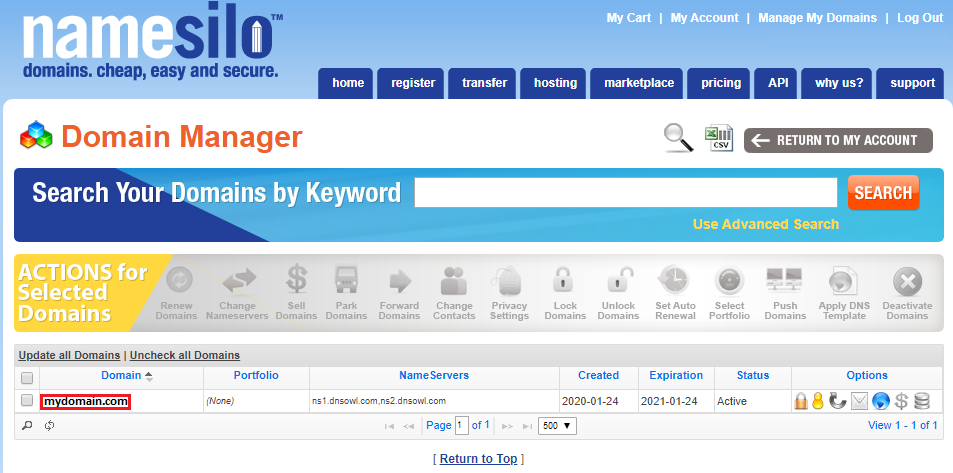
Step 1. Login into NameSilo then click “Manage My Domains”.

Step 2: In the “Manage My Domains” page click on the domain name you want to setup to access to “Domain Console” page.
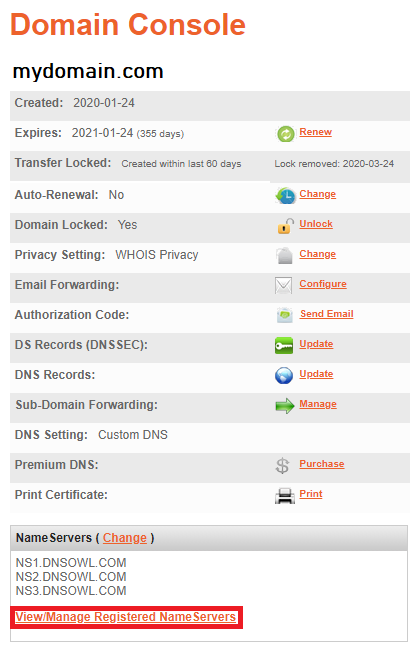
Step 3: In the “Domain Console” page click on “View/Manage Registered NameServers”
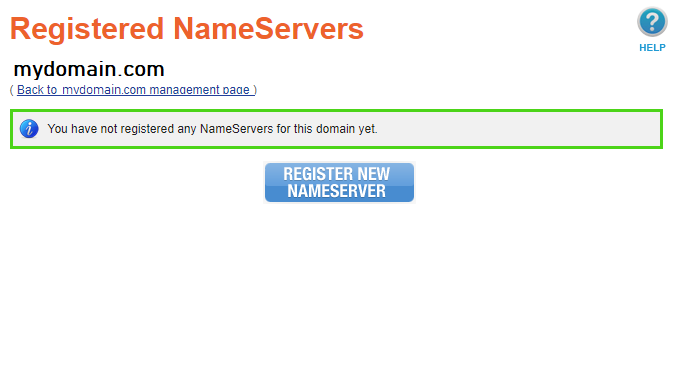
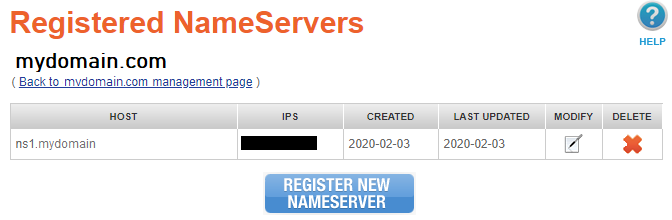
Step 4: In the “View/Manage Registered NameServers” page click “Register New Nameserver”
Step 5: In the Host text box type “ns1” without the quotes. Then enter the IP address you want to use in the text box for Host IP 1
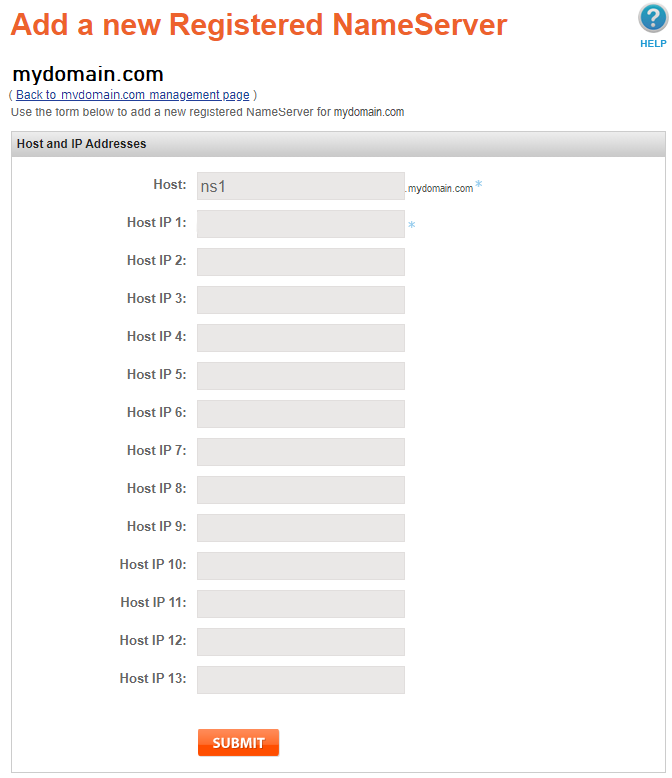
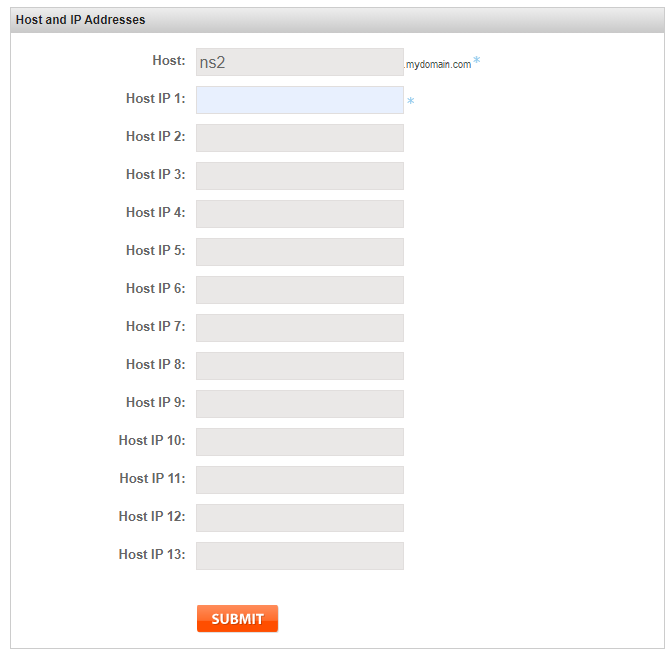
Step 6: Repeat the same process for ns2. Click “Register New Nameserver” once again.
In the Host text box type “ns2” without the quotes. Then enter the IP address you want to use in the text box for Host IP 1.
We only require two nameservers and they can both have the same IP.
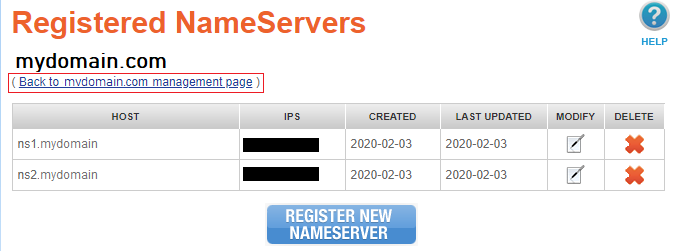
Step 7: Next go back to your domain name’s management page.
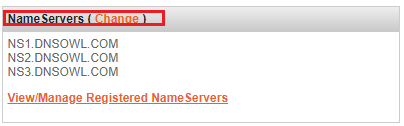
Step 8: Click on “Change” next to NameServers.
Step 9: Enter ns1.mydomain.com and ns2.mydomain.com replace mydomain.com with your domain name and click submit.
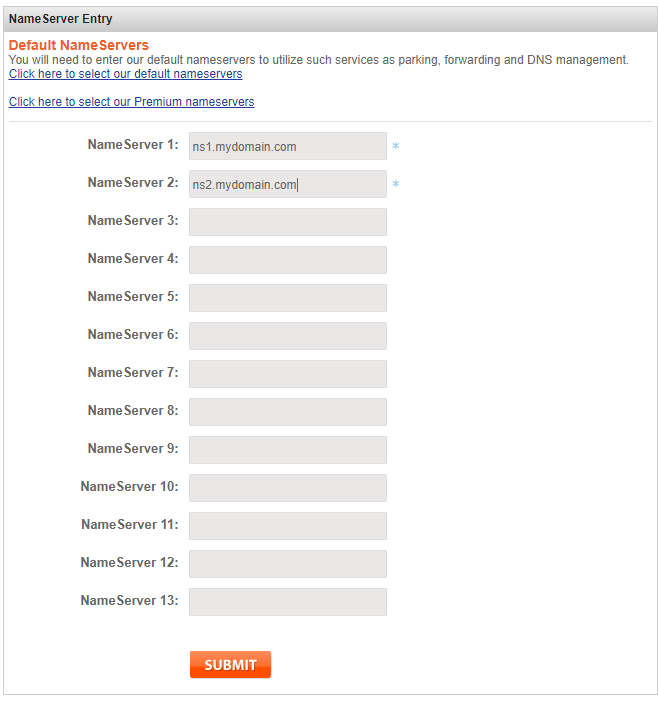
Step 10: Your domain is now ready. Just let us know in a support ticket what domains you want setup and how you want the IP’s setup as well