Below is the Premium Drag and Drop Editor Demo video:
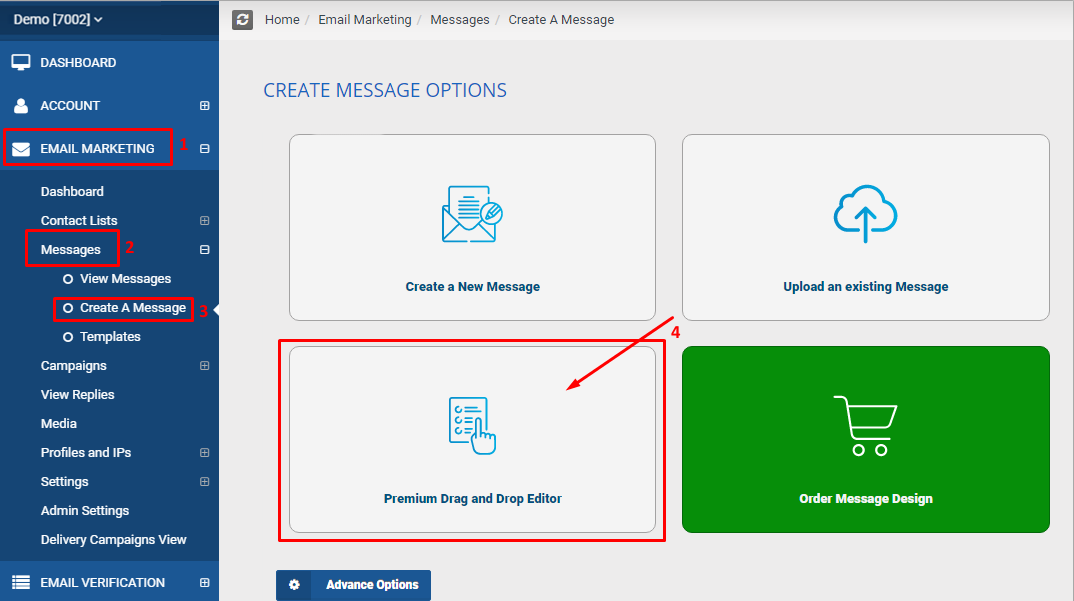
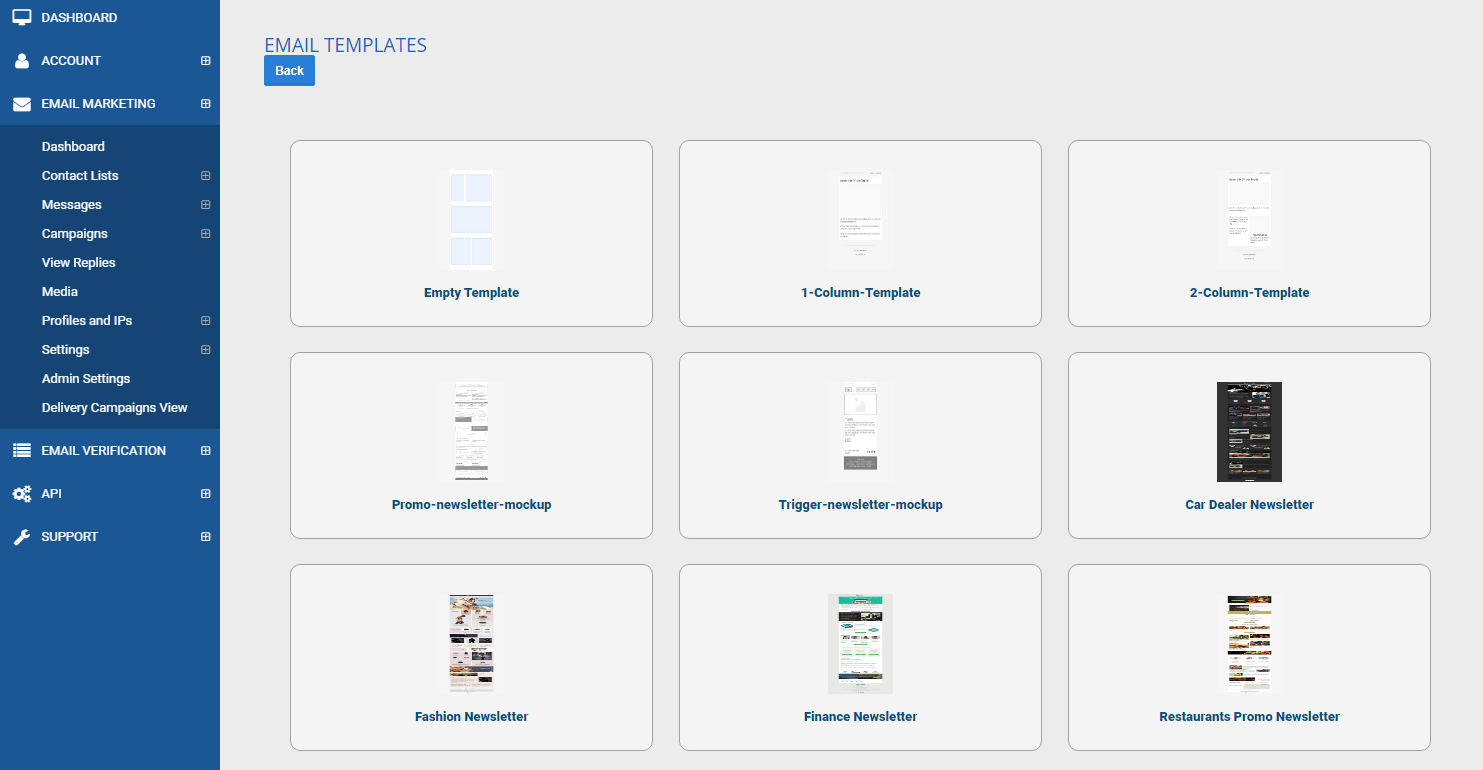
To access your premium drag and drop editor, please follow the steps below: MCC Account Dashboard > Email Marketing > Messages > Create A Message > Premium Drag and Drop Editor > Choose the Template you want to use