
To add a message, please follow the steps below:
MCC Account Dashboard > Email Marketing > Messages > Create a Message > click Create a New Message
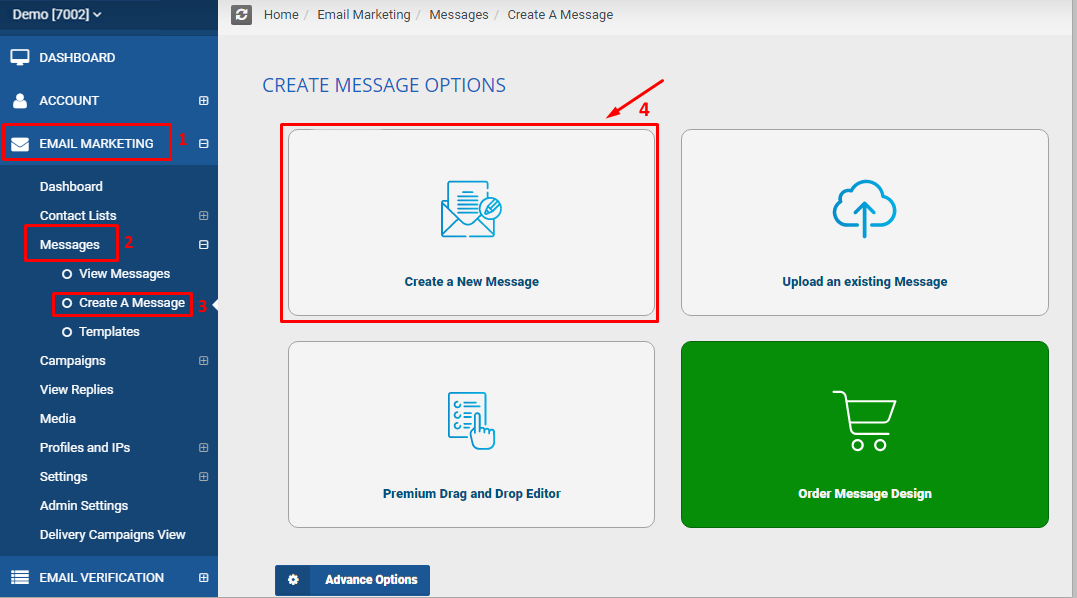
It will load up the Create Message page > Fill out all the necessary information in the page > click Add Message button
