NOTE: Make sure that you have already added your Message and Email List to be used for this Campaign Sequence.
To add a Campaign Sequence, please follow the steps below:
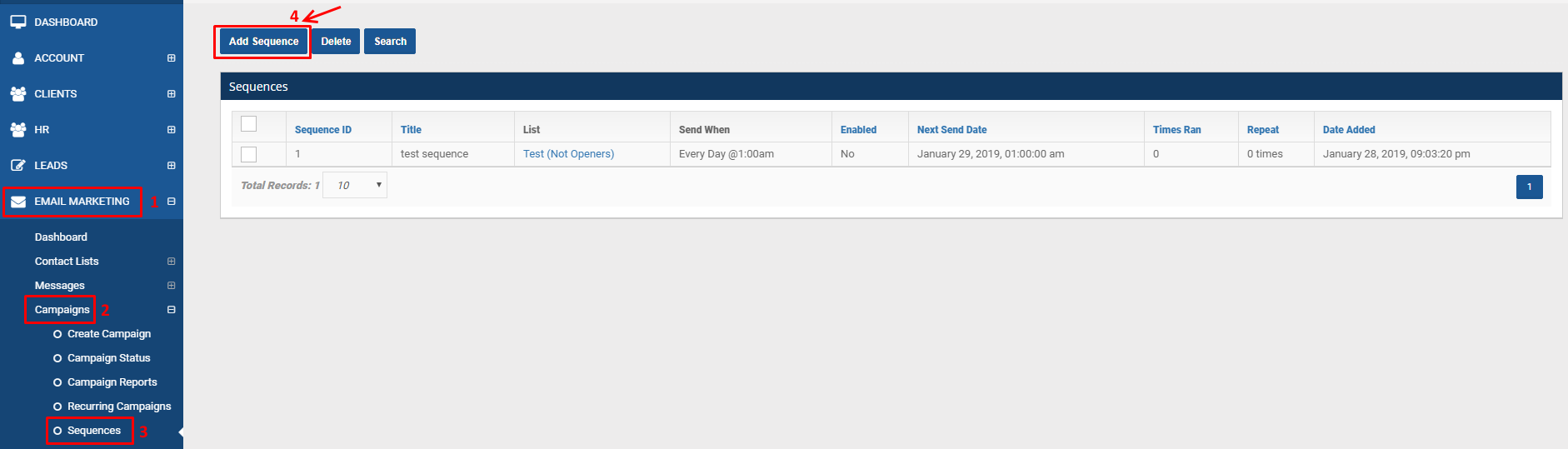
MCC Account Dashboard > Email Marketing > Campaigns > Sequences > click Add Sequence button
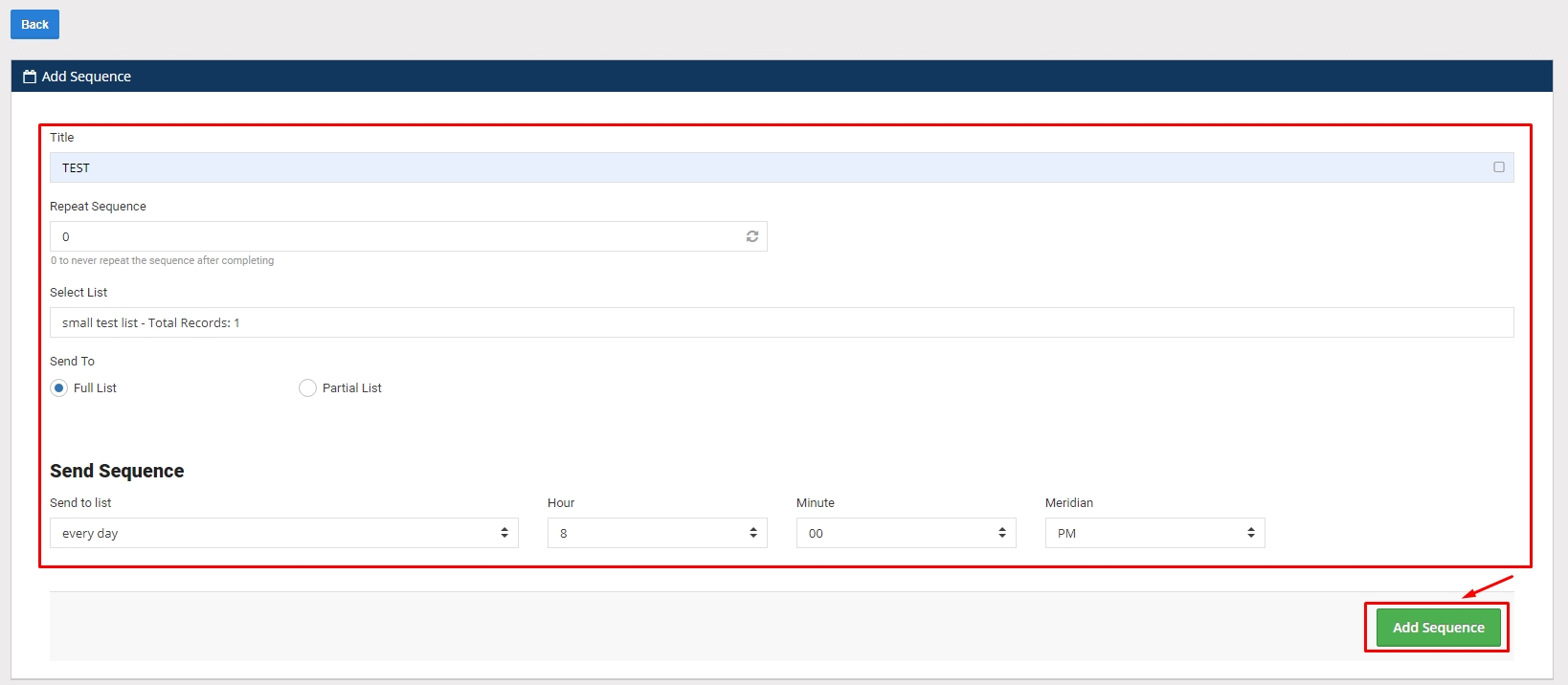
Fill out the Add Sequence page fields > click Add Sequence button
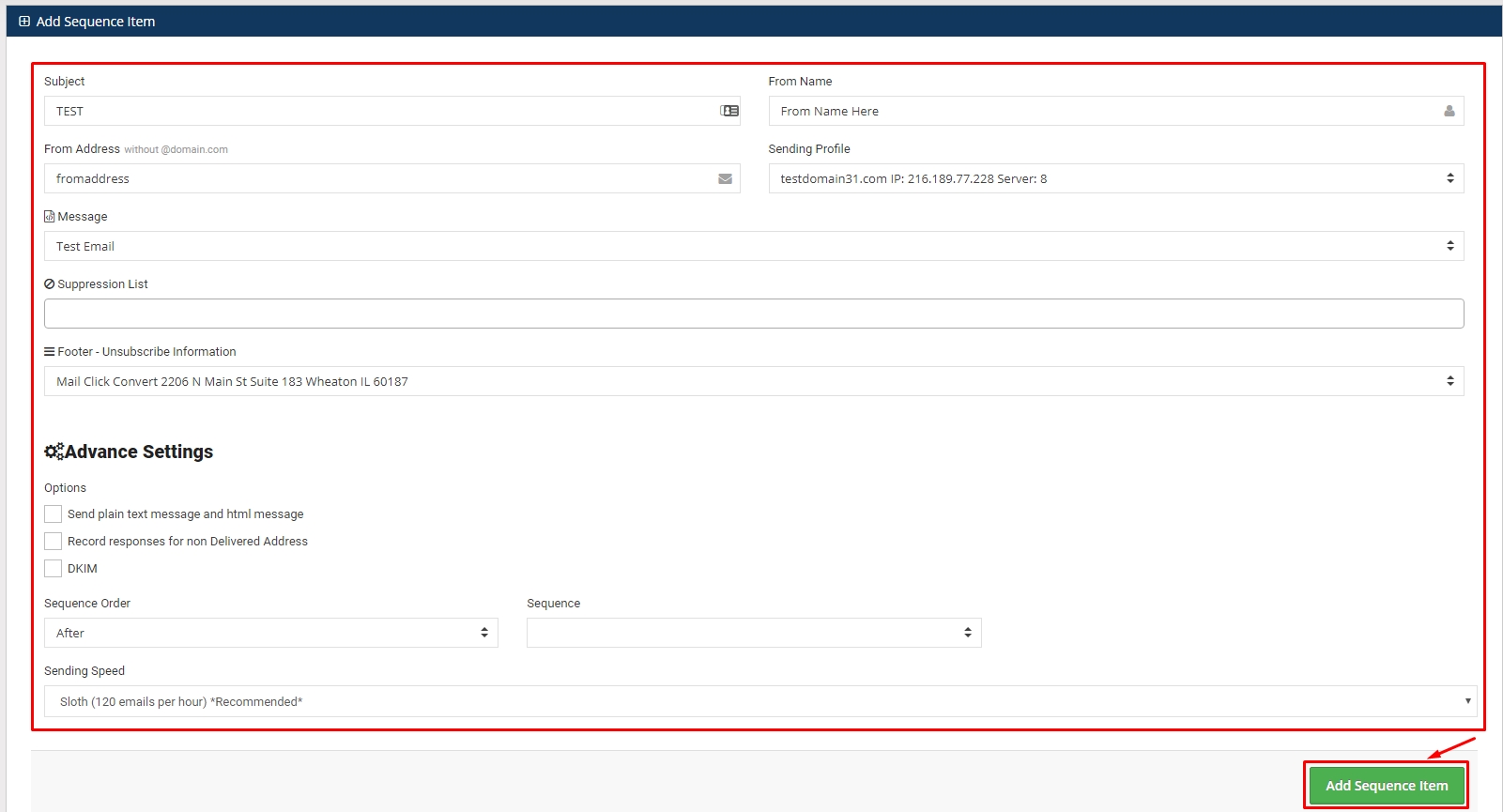
Fill out the Add Sequence Item page fields > click Add Sequence Item button